

Your Waiver Claims, On Your Own Site
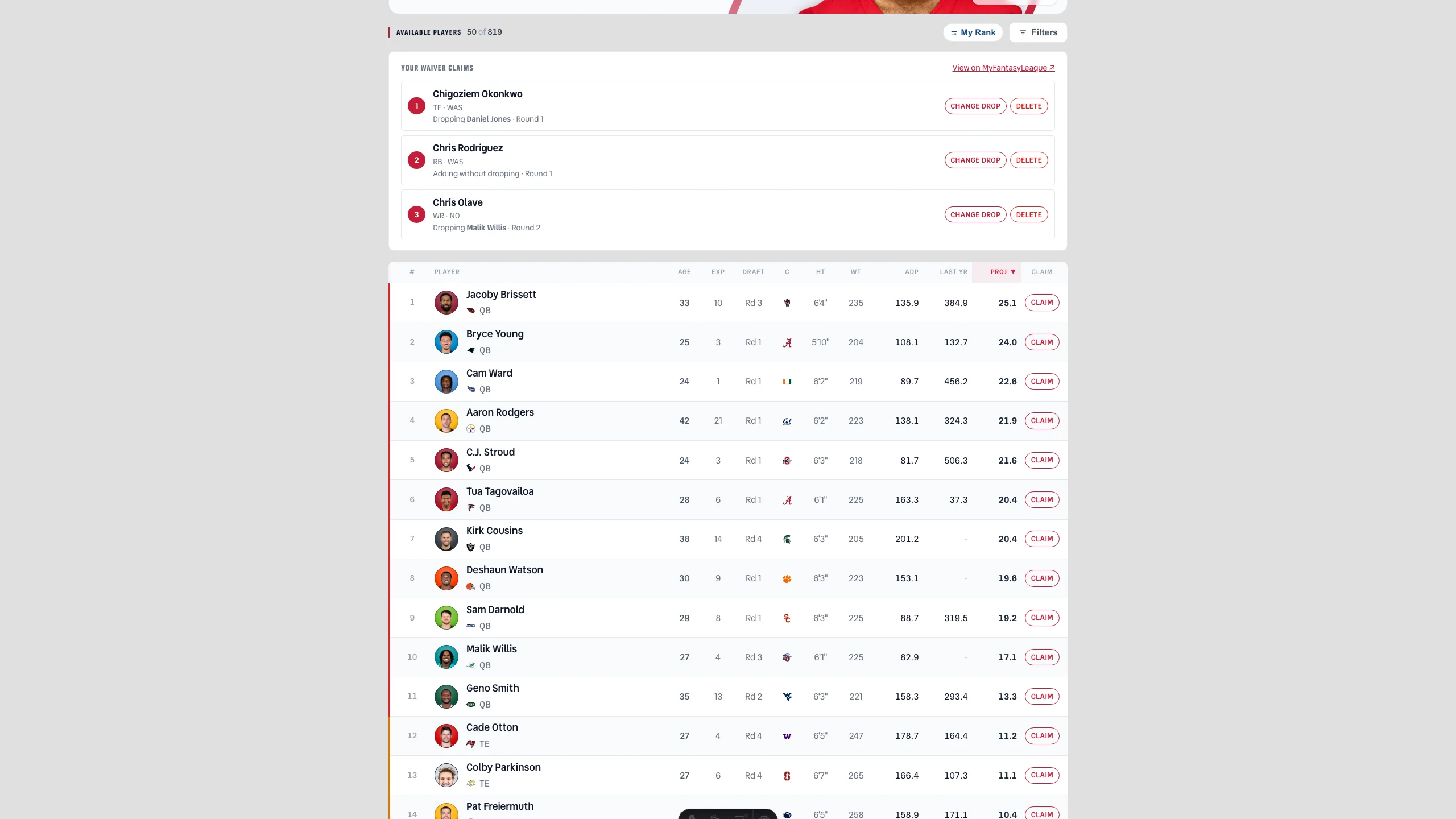
File a claim and it used to vanish into MyFantasyLeague until Monday night told you how it went. Now the claims you have pending sit at the top of Free Agents in the order they'll be awarded, and you can change who you're dropping or scrap one entirely without leaving.
The Full Story
Filing was only ever half of it. You'd pick a player on Free Agents, hit submit, and then the claim disappeared into MyFantasyLeague — no way to see what you had pending, no way to change the guy you'd promised to drop, no way to back out of a claim you'd thought better of at 11pm. The only honest answer was to open MFL in another tab and do it there, which rather defeats the point of building any of this.
So the claims you've filed now sit right above the player list, numbered in the order MyFantasyLeague will actually award them. Each one tells you who you're adding, who you're dropping, and which round it's in. Change drop swaps the casualty without touching the claim. Delete takes the whole thing back. Both go straight to MFL and are read back out again before we'll tell you they worked — if we can't confirm it, we say so rather than showing you a checkmark and hoping.
One thing it deliberately won't do: reorder. MyFantasyLeague has no reorder control — we went looking, and the only way to shuffle a round is to delete every claim and re-file them in a new sequence, which leaves a gap where you own nothing at all. That's a lousy trade during a live waiver window, so the priority you see is the order you filed in. Get the order right on the way in, and fix the drops from here. If you'd rather see it all on MFL, the link at the corner of the panel goes straight there.
Message